Just Three - To Do
Published on: Thu Oct 06 2022
A simple reminder and to-do app that helps you focus on the three most important things today.

Just Three: focus on what’s essential today!
-. Second personal app development project.
-. One-person production, released on App Store.
-. A simple reminder & ToDo application to focus on the first three things for today.
The following content is aimed at coders and developers. If you’re not interested in these topics, please find more information on the Just Three - To Do web page or in the App Store. Thanks!
Table of contents
About JustThree
- JustThree is a simple reminder and to-do app for people overwhelmed by daily reminders and tasks who want to escape to-do overload and focus on what’s essential.
- JustThree helps users focus on what’s essential by displaying only three items on the main screen, with a simple design and satisfying animations.
- JustThree stores users’ reminders and to-dos only on their devices, using
UserDefaultsand a hard-coded storage key. - To experience the entire process of launching an app, I handled the planning and design as well as development.
- Developed programmatically with
UIKit, following the MVC pattern.
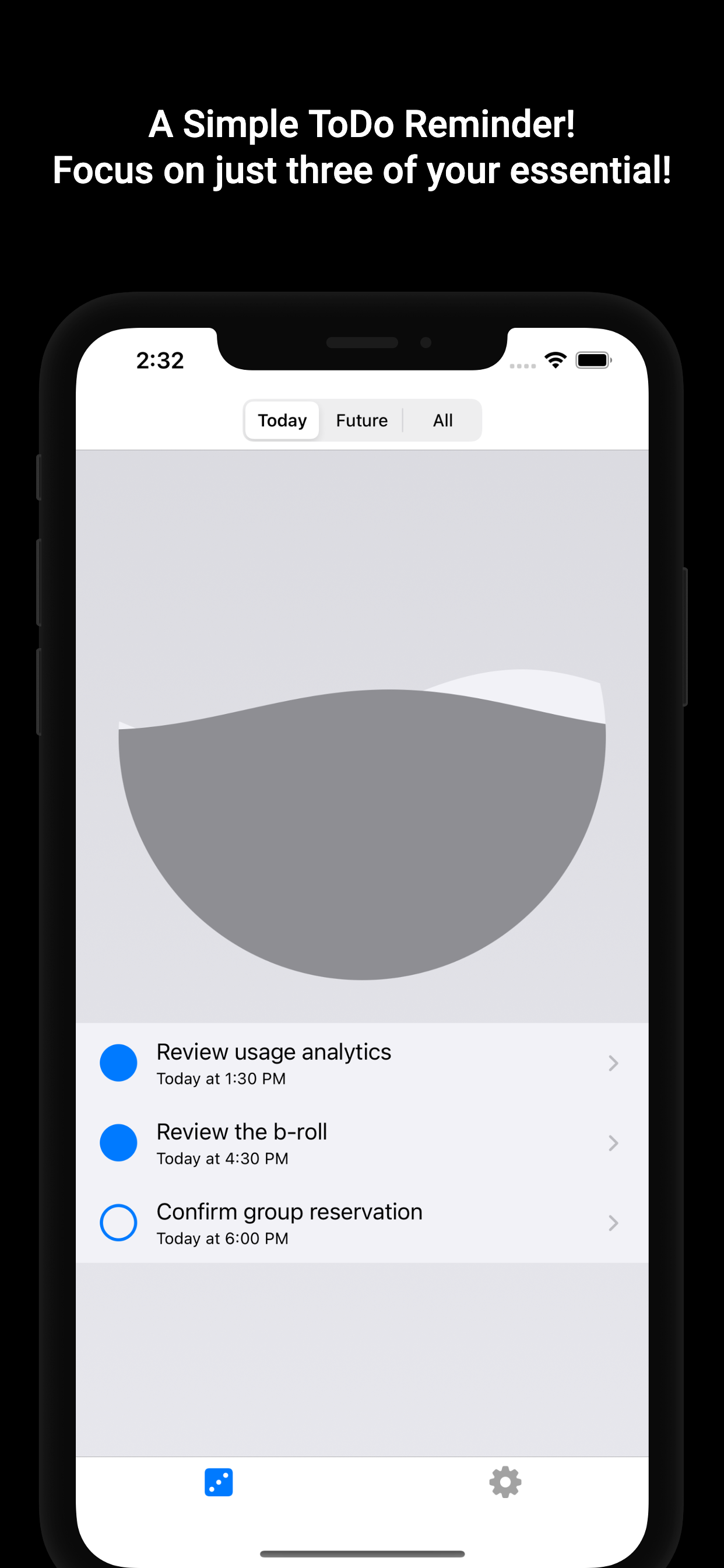
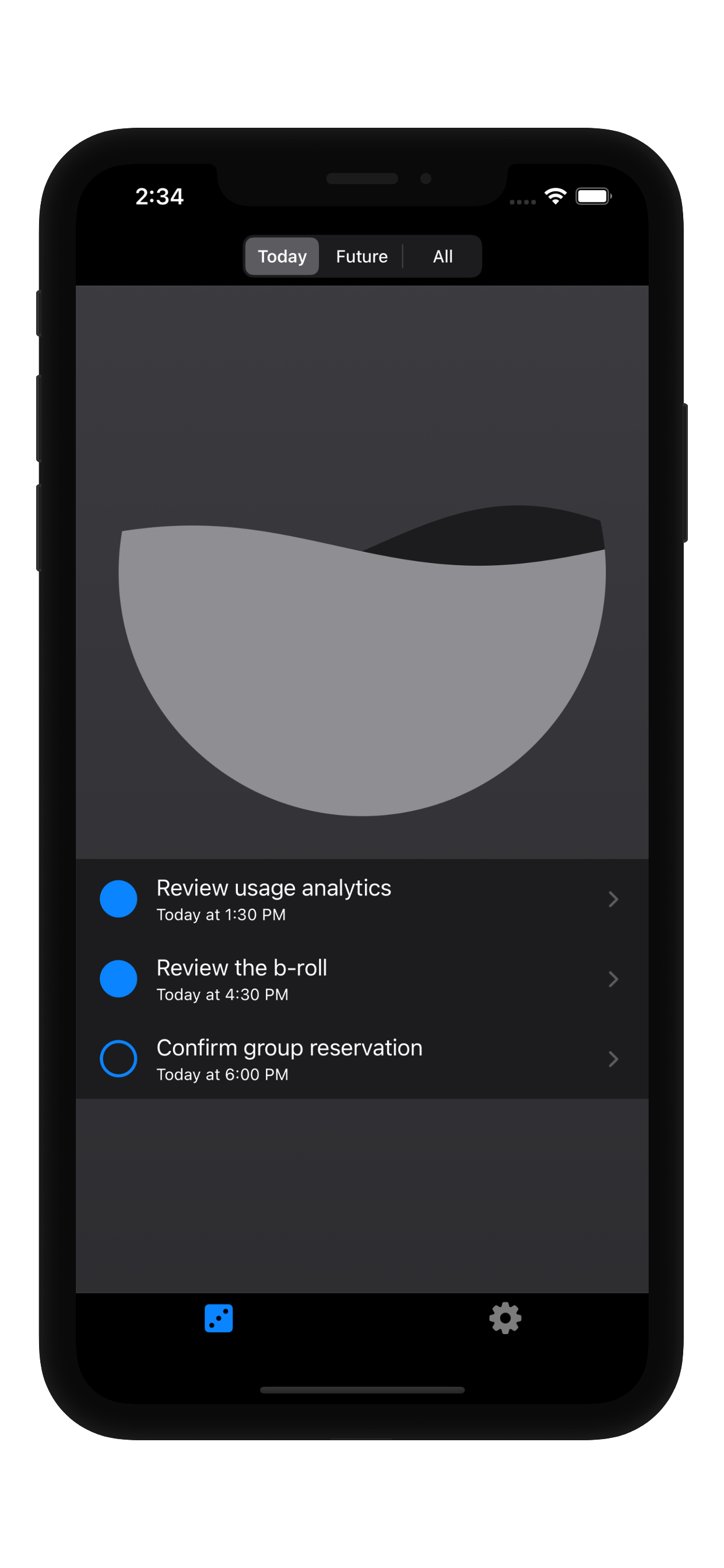
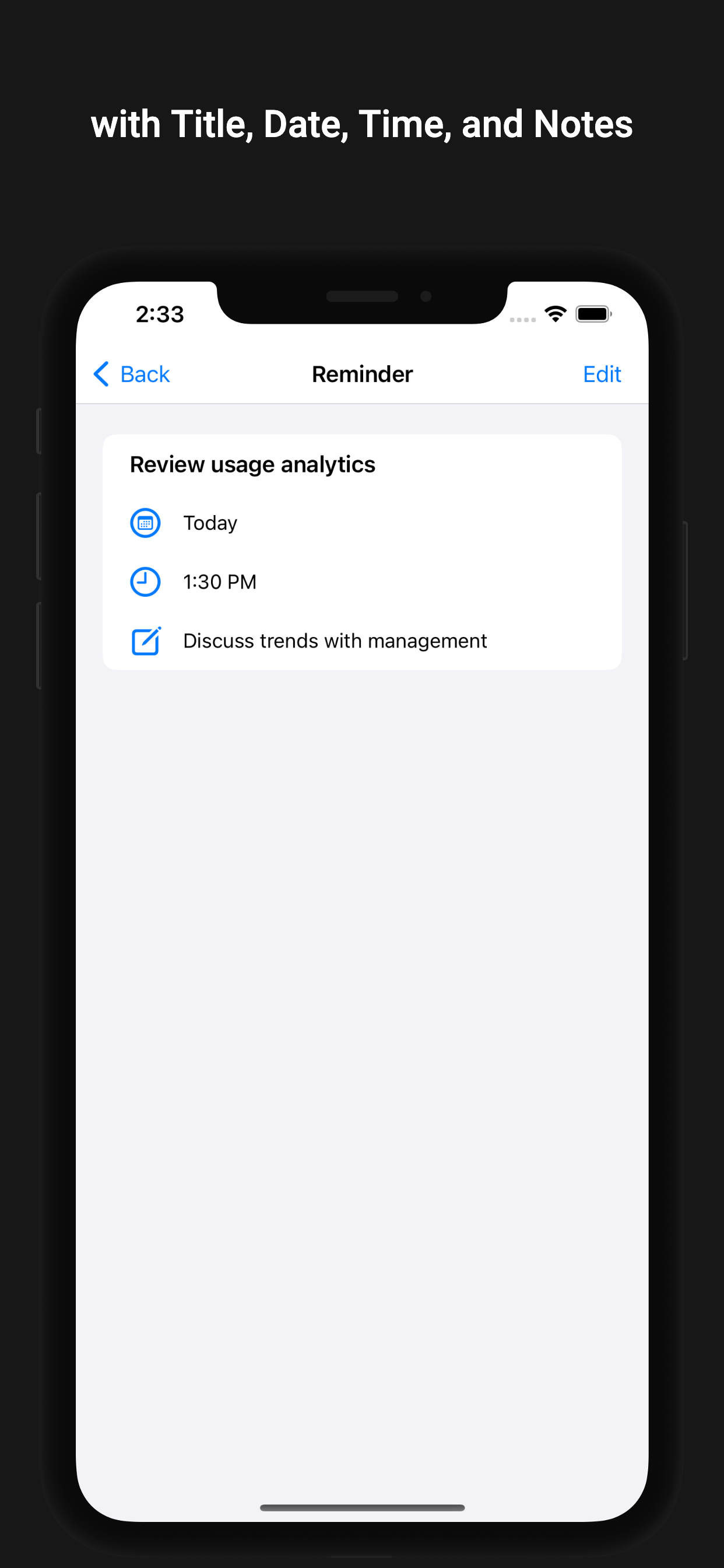
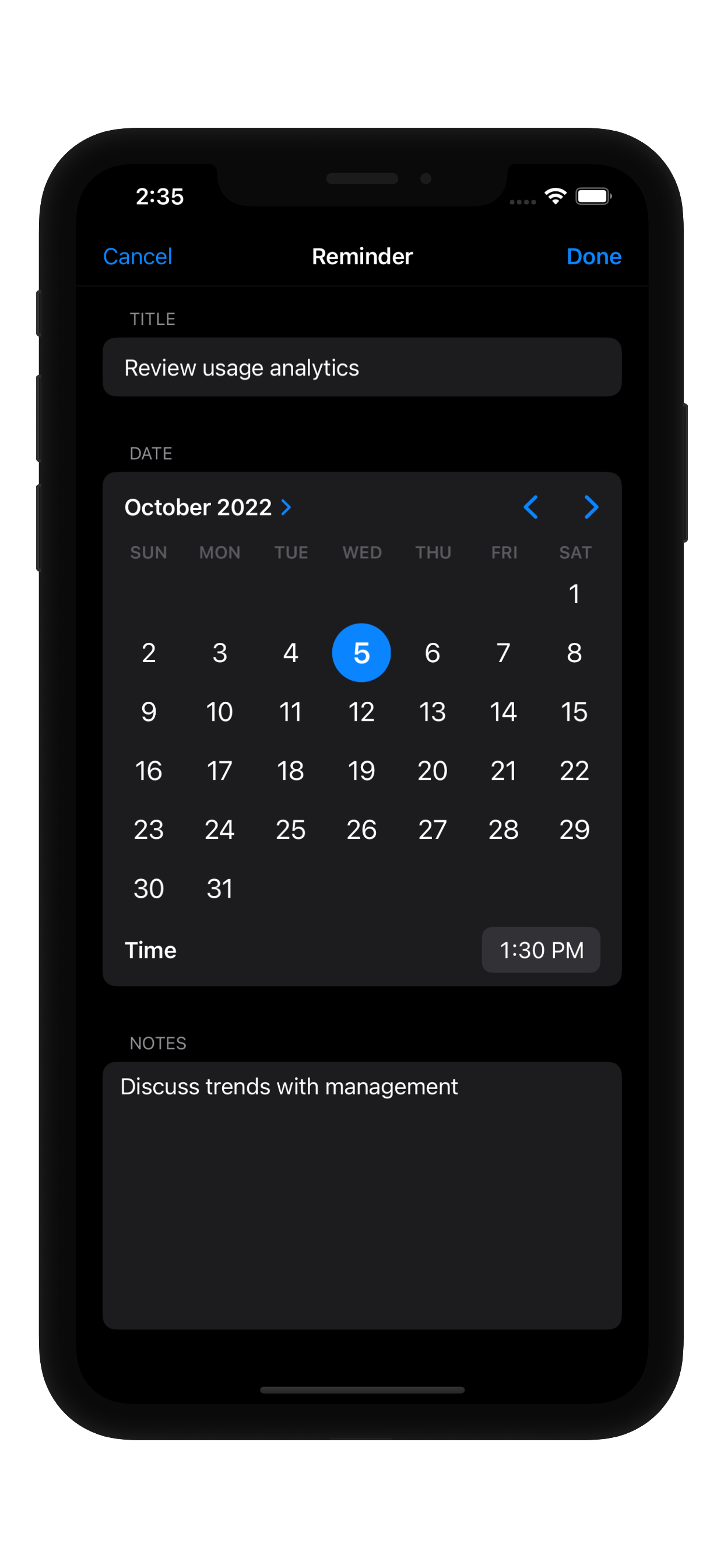
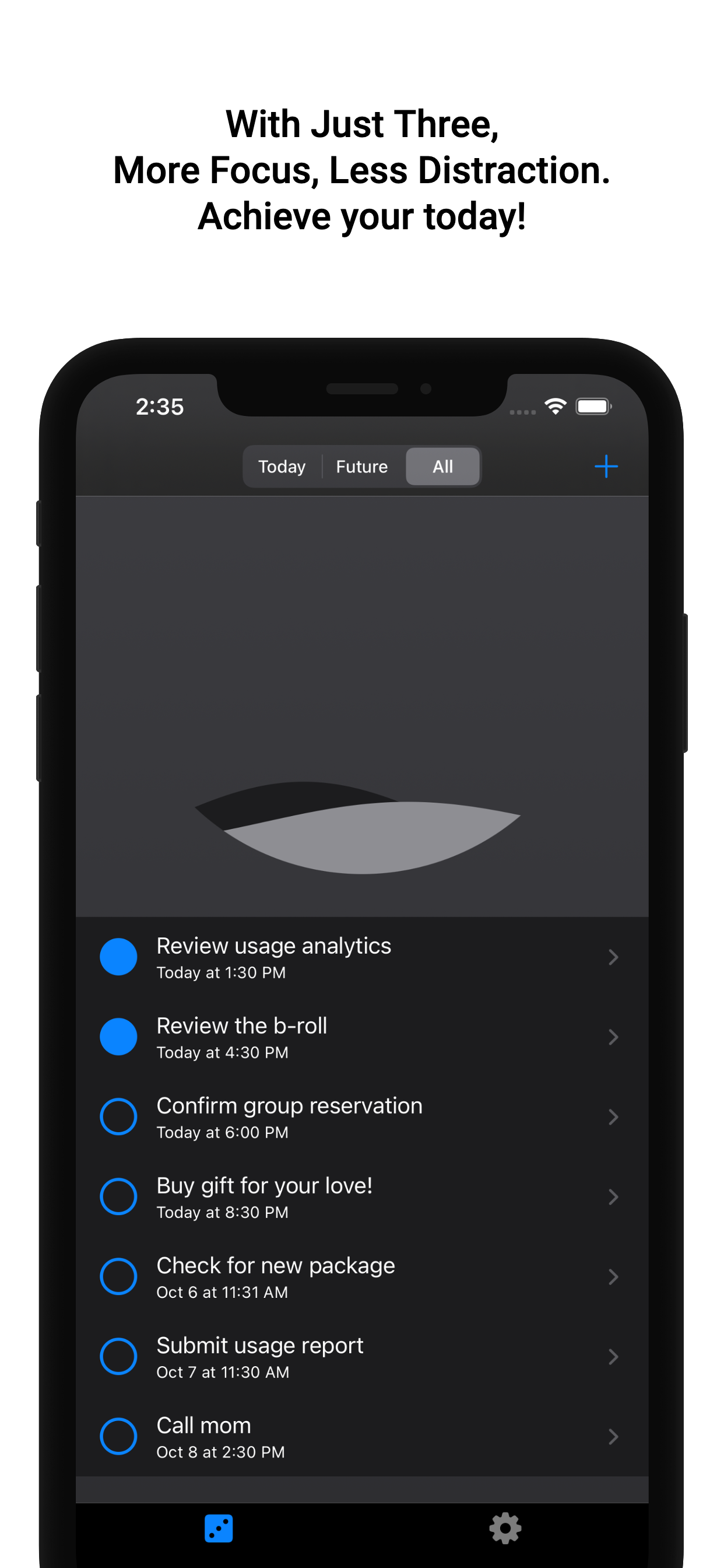
- List view - Today section
The main view of Just Three.
In the Today section, the list displays only three items.
This helps users focus on their top three objectives for the day.- List view - Dark Mode
Just Three supports Dark Mode.
Interact with to-do items using a satisfying wave animation.- ToDo or Reminder view - View mode
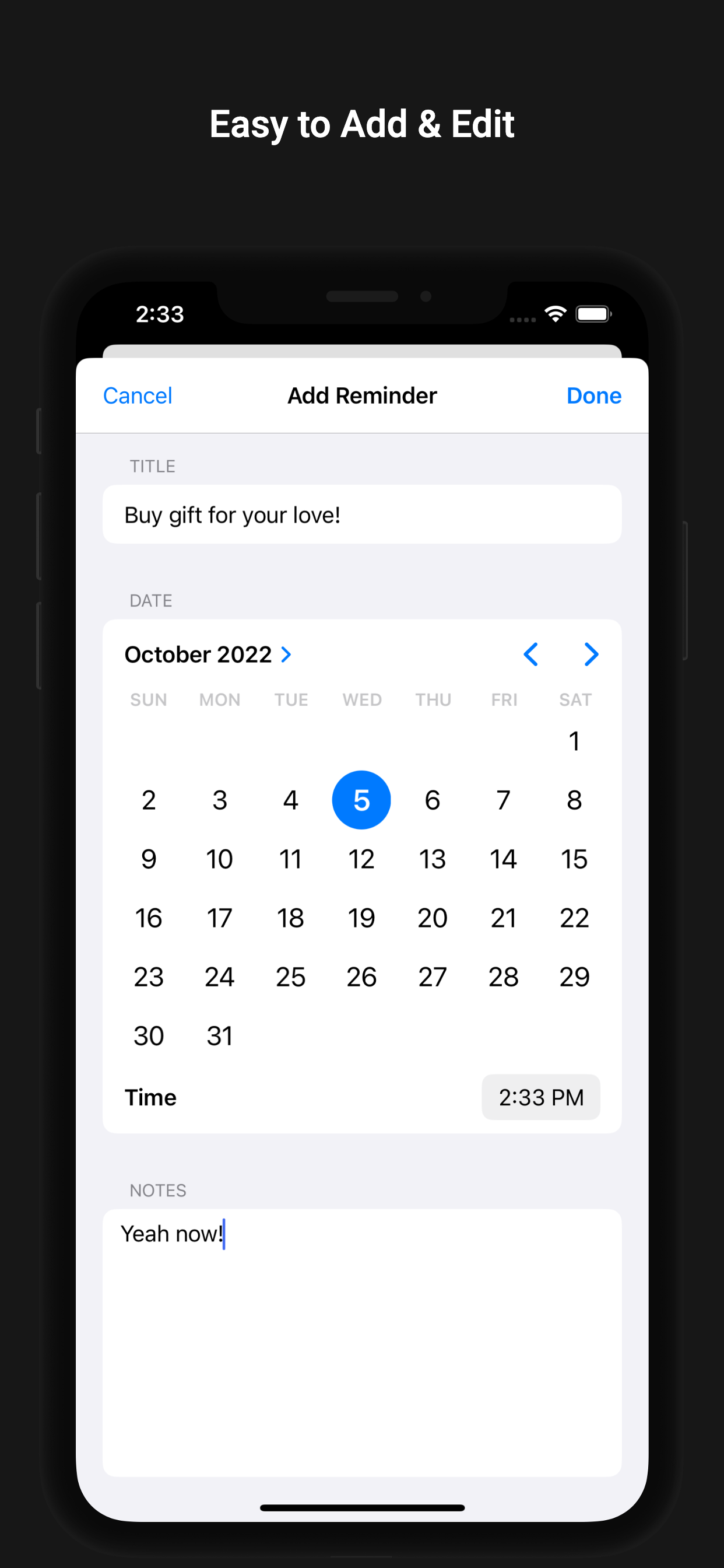
Each item consists of a title, date, time, and note.- ToDo or Reminder view - Edit mode
The item’s title can be edited in a text field.
Its date and time can be edited with a date picker.
Its note can be edited in a text view.- Add new ToDo or Reminder item
Easily add a new item by tapping the plus button at the top right of the list.
The add-item view appears modally and has a user interface similar to the edit view.- List view - All section
Sections other than Today, such as Future and All, do not limit the number of displayed items.
Features
- A simple interface with three types of view controllers, built programmatically with UIKit.
- Uses a list collection view with a diffable data source, compositional layout, and list cell view configuration.
- Includes a wave animation built with
CABasicAnimationandCAShapeLayer. - Saves user data in
UserDefaults. - Supports the accessibility features of iOS VoiceOver.
- Supports Dark Mode.
Folder Structure
.
├── JustThree.xcodeproj
├── JustThree
│   ├── Assets.xcassets
│   │   ├── AccentColor.colorset
│   │   ├── AppIcon.appiconset
│   │   └── icon.imageset
│   ├── Models
│   ├── ContentViews
│   ├── ViewController
│   │   ├── ReminderListViewController
│   │   ├── ReminderViewController
│   │   └── SettingListViewController
│   └── Base.lproj
└── docs
    ├── assets
    │   ├── css
    │   ├── js
    │   ├── sass
    │   └── webfonts
    └── images
        └── screenshots
Version History
- Plan to update continuously.
- latest update: v1.0.0
- v1.0.0: Release on App Store, 6 October 2022.
- start: Initial commit, 23 September 2022.
What I Learned
From start to release
- Period: 18 September 2022 - 6 October 2022 (17 days)
- Time Taken: 50 hours (Design + Development + Release)
-
Planning
- How to decide minimum requirements for app.
- How to build and optimize the time table.
- How to meet the deadline for progress.
-
Design
- How to create an app icon.
- How to choose a color palette.
- How to design an app.
-
Development
- How to build a UI programmatically with
UIKit. - Better understanding of
MVCpattern and how to implement it. - Better understanding of
extensionsin the project module. - Better understanding of data sources and how to use diffable data sources in an iOS project.
- Better understanding of
UIViewconfiguration and how to implement it. - Better understanding of
UICollectionViewwithUICollectionViewCompositionalLayout. - Better understanding of the accessibility APIs supported by iOS.
- How to use
CAShapeLayerandCABasicAnimationto make animations. - How to reduce an application’s CPU usage and improve its performance.
- How to save and load data and store user data in
UserDefaults. - How to find memory leaks in an Xcode project.
- How to build a UI programmatically with
-
etc.
[weak self]is essential for preventing memory leaks in an app; keep this in mind.- Still, choosing colors was much more stressful than I expected.
- Being a regular user of the app has a big impact on the motivation for developing the app.
Future Work
- keep on refactoring
- add UIGestureRecognition support for edit mode.
- add documentation
- support widget for iOS
- better support for iPad
- add unit test
- add ui test
- add sound effect
- add visual effect
- add more setting options
- build with swiftui
Keywords
- project
- ios
- swift
- uikit
- programmatic